A clearer way to set medication reminders.
One reminder flow needs to make everyday routines feel straightforward while leaving space for schedules that don’t fit a simple default.
- My contribution
- Main designer for the work shown. Flows, interaction models, wireframes, prototypes and UI.
- Design focus
- Scheduling, progressive disclosure and everyday mental models.
- Evidence
- Supplied interface exports and project narrative. Exact release and outcome data remain under review.
The challenge
Simple and flexible are not opposites.
A medication schedule can mean once a day, several times a day, selected weekdays or an interval. A single large form can technically express all of those rules, but it also asks everyone to understand them before they know which ones apply.
The opposite extreme creates a different problem: a very short flow that hides the option someone actually needs. The design challenge was to keep the first decision recognizable without closing the path to a more specific routine.
The starting point
Ask in the language of a routine.
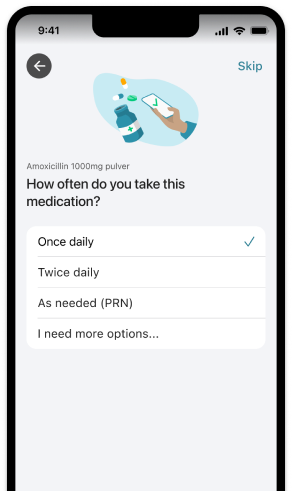
The frequency screen asks “How often do you take this medication?” before presenting familiar answers. Once daily and twice daily are concrete choices. “As needed” acknowledges that not every routine is a repeating appointment.
This groups the flow by how a person thinks about taking medication, rather than exposing the underlying schedule data model first. The selected state is visible, and “I need more options…” keeps the advanced route in the same decision space.
The important trade-off is the wording of that route. More options is easy to scan, but its discoverability and meaning still need real usability evidence. A clean screen alone cannot establish that people found the right rule.
Reveal relevant detail
Complexity appears when it becomes useful.
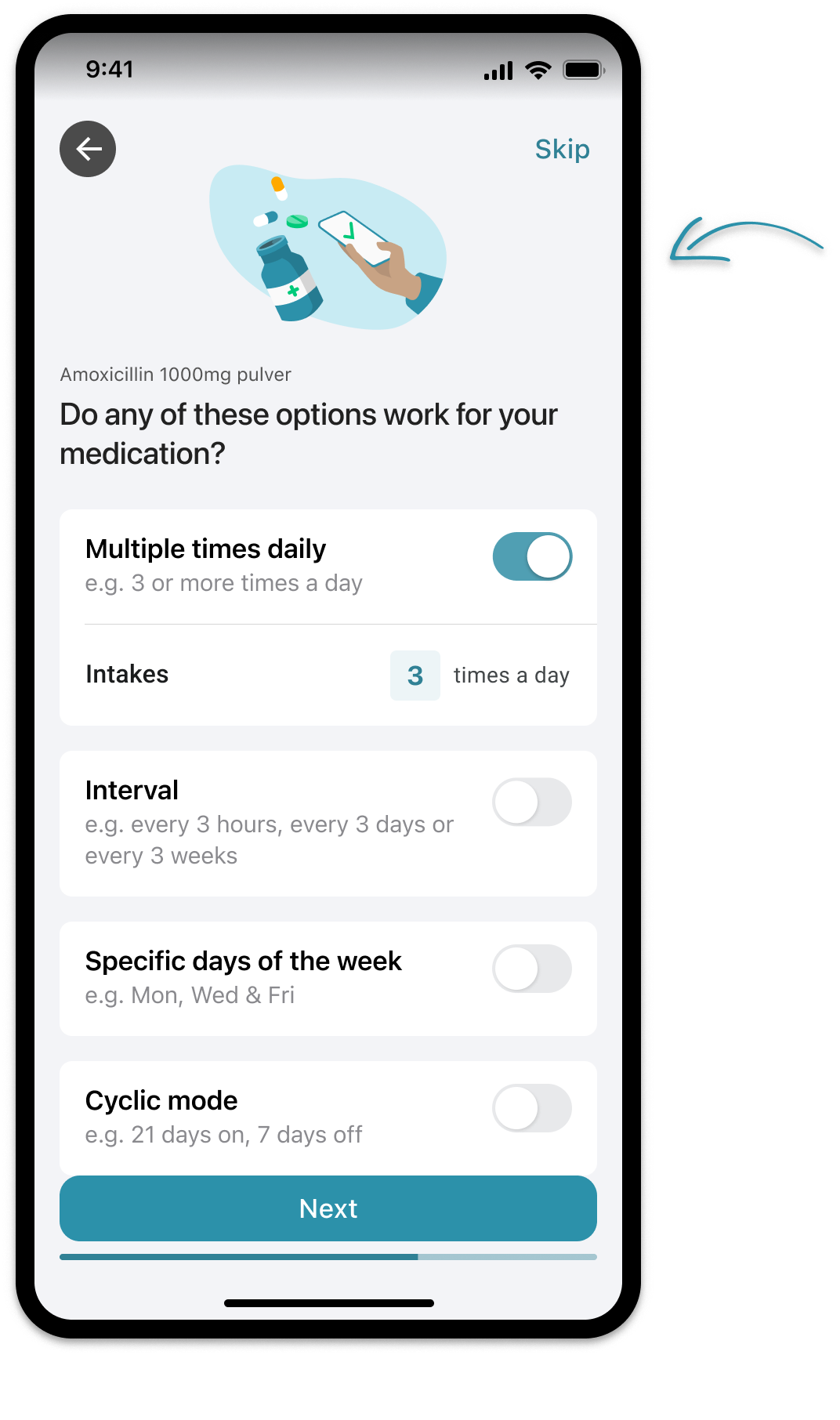
The advanced screen makes different schedule families visible: multiple times daily, intervals, specific weekdays and cyclic mode. In the supplied example, enabling multiple daily intakes reveals the number of intakes. The detail belongs to the option that gives it meaning.
Examples help distinguish the families before someone has to configure them. “Every 3 hours” and “every 3 days” show the span of an interval; a weekday example makes another kind of repetition recognizable. The screen provides structure, not a recommendation for a medication regimen.
My design responsibility covered the interaction models and their expression through flows, prototypes and UI. Keeping the rule close to its controls was part of making advanced choices understandable without turning the default path into an advanced form.
Read the interface decisions.
Control and editing
The first pass is only one part of the flow.
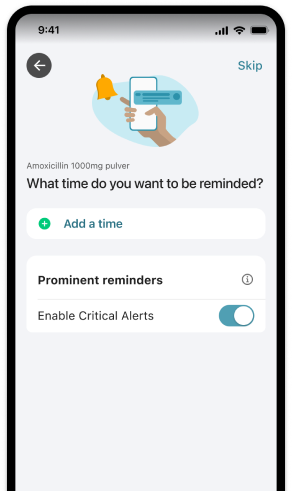
The supplied screens show back navigation and separate stages, but do not show the whole edit journey. In reviewing this interaction, I would ask whether someone can find the rule they already set, change it without starting again, and understand which other settings a change affects.
A recognizable summary matters as much as a short form. If the chosen schedule is shown only as a generic “custom” state, the person has to reconstruct the setup to check it. A review should keep frequency, timing and any special rule understandable together. This is a design-review criterion, not a claim about an unseen screen.
Iteration and collaboration
Refinement starts where the model is unclear.
The supplied project narrative reports confusion around recurring schedules and difficulty editing reminders. Those themes motivated refinement of the interaction model. They are reported themes from the project material; participant counts, recordings and a detailed study report were not supplied.
The work moved through flows, wireframes, prototypes, UI and cross-functional iteration. The useful design conversation was about where a rule becomes relevant, whether its wording matches the person’s expectation, and how navigation preserves the setup. Exact collaborator attribution remains part of the later content review.
What this case establishes
A readable default, with room for complexity.
The interface examples show a way to organize scheduling around everyday choices and reveal more rules when relevant. My contribution is the design work within the presented scope. The transferable lesson is to make advanced detail discoverable and connected to a recognizable decision.
Evidence limits
No retention, drop-off, error-reduction or health-effectiveness figures are claimed. Exact releases, dates, shipped scope and measured outcomes await review. This case describes design decisions and supplied artifacts, not medical advice.